

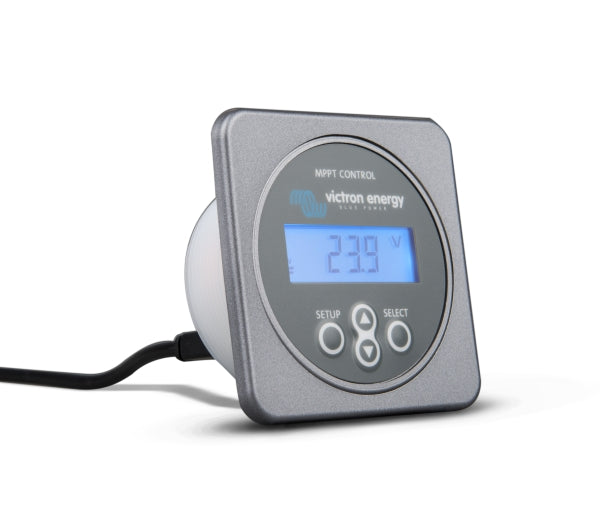
Victron MPPT Control - Remote control for Victron charge controllers
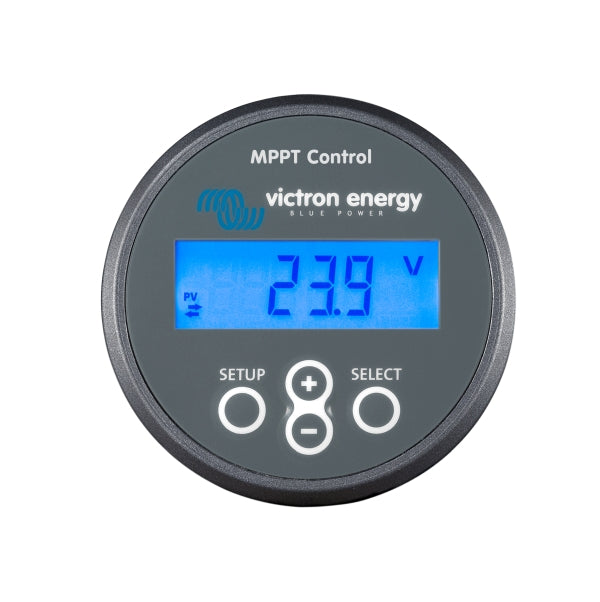
Victron MPPT Control
The display shows a variety of information about your Victron MPPT controller, for example:
- Solar panel voltage and current
- Daily yield
- Battery charge and discharge currents
- and much more
Tax included. Shipping calculated at checkout
Your legal guarantee rights

Product description
Accurate and clear display for Victron charge controllers
The MPPT Control Panel can be connected to all Victron MPPT charge controllers (except 70/15) using a VE.Direct cable.
To connect the display, the following cable must be purchased separately: Link to the cable
In the live view, you can display the following values:
- Solar power and voltage
- Battery voltage
- Battery charge and discharge current
- if an error occurs, it will be displayed
- if a load output is present: status of the load output and load current.
In addition, there is also a statistics display, so that values from the last 30 days as well as the total time can be viewed. It is also possible to set MPPT parameters (voltage at the MPP regulation, setting of charging parameters, and much more). More detailed information on which settings can be made can be found in the manual.
Product details & downloads
Manufacturer information and, if applicable, the responsible person:
Victron Energy
The Paal 35
1351 JG Almere
Email: sales@victronenergy.com
Website: https://www.victronenergy.com


Advice & Contact
Questions about the article?
If you have any further questions about the product or would like to contact us in general, please click the button and send us a message. We look forward to hearing from you!
GET ADVICE NOW