

Victron Skylla-i Control GX (Right Angle RJ45) Retail
Victron Skylla-i Control GX
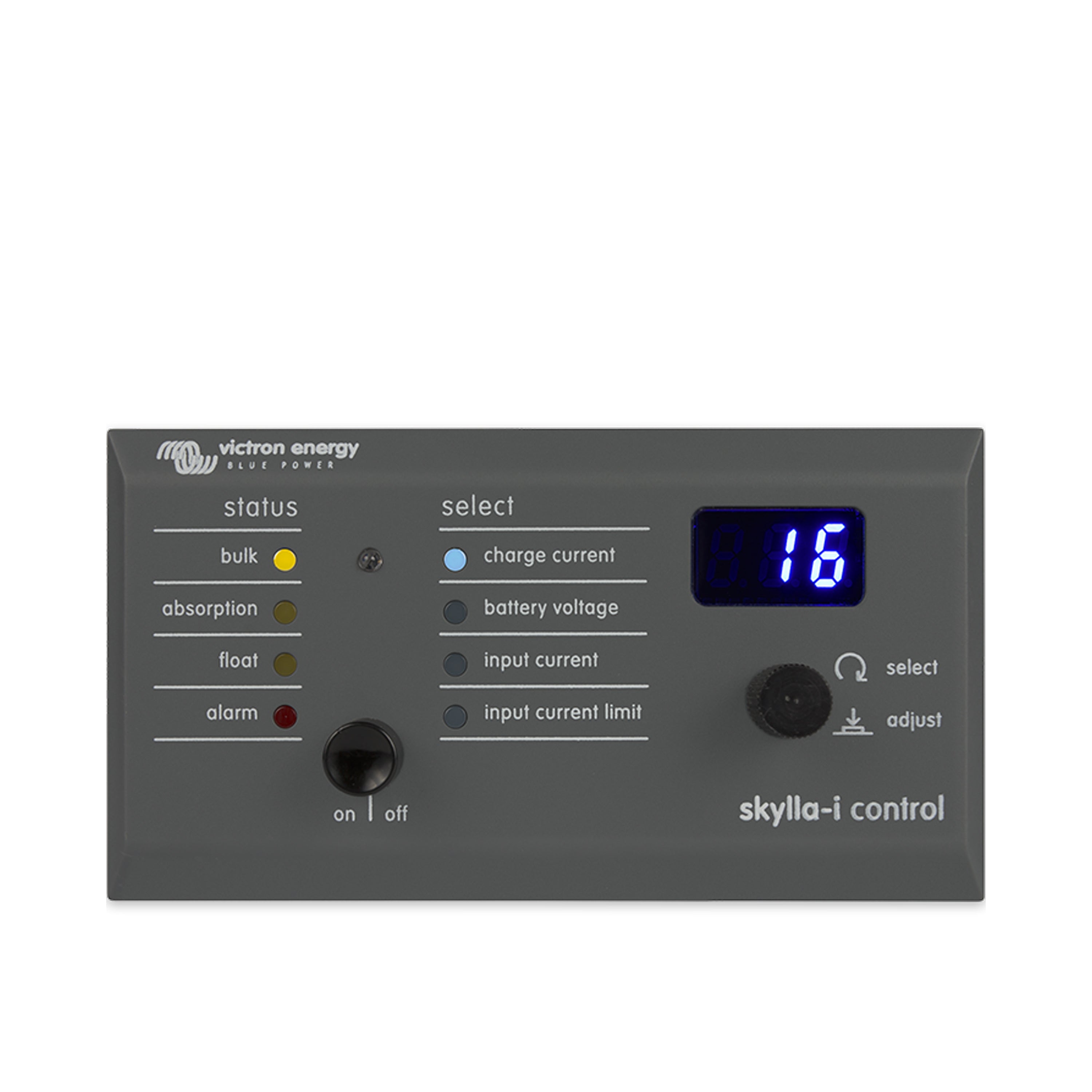
- Fernbedienpanel für alle Skylla-i Ladegeräte
- Helligkeit der LEDs automatisch gesteuert via Lichtfühler
- Anzeige des aktuellen Ladezustandes
- Einstellung der Eingangsstrombegrenzung
Tax included. Shipping calculated at checkout
Your legal guarantee rights

Product description
Skylla-i Control GX Remote Panel from Victron Energy (MPN REC000300000R) – Intuitive charging control
The Skylla-i Control GX Remote Panel from Victron Energy is your ideal companion for precisely adjusting the charging current of your Skylla-i battery charger and clearly displaying the system status.
This remote control panel is specifically designed for use with all Skylla-i charger models and allows for effortless integration into your system. Using the VE.CAN bus, connecting the Skylla-i panel to your charger is incredibly easy. Connect the two devices using a standard UTP (unshielded twisted pair) cable with two RJ45 connectors. Note that RJ45 bus termination connectors are required at both ends. The Skylla-i panel comes complete with both RJ45 bus termination resistors. The two RJ45 sockets on the charger and panel are internally connected, giving you flexible connection options.
Features of the Scylla-i Control GX
Controllable parameters of the Skylla-i Control GX:
- Charge current
- Battery voltage
- Input Current
- Input Current Limit
- The LEDs on the control panel serve various display purposes, the meanings of which can be found in the German-language operating instructions.
Turning the Skylla-i charger on and off:
The Skylla-i charger can be turned on or off by briefly pressing the power button. However, the main power switch on the charger takes priority. If this is off, the charger cannot be turned on via the panel.
Setting the charger’s input current limit:
Change the input current limit by pressing and releasing the rotary knob. The current input current limit value flashes on the screen and can be adjusted by turning the knob. To confirm the new value, wait a few seconds or briefly press the rotary knob.
Scope of delivery:
1x Victron Energy REC000300000R Skylla-i Control GX Remote Panel
1x installation instructions
Product details & downloads
Manufacturer information and, if applicable, the responsible person:
Victron Energy
The Paal 35
1351 JG Almere
Email: sales@victronenergy.com
Homepage: https://www.victronenergy.com


Advice & Contact
Questions about the article?
If you have any further questions about the product or would like to contact us in general, please click the button and send us a message. We look forward to hearing from you!
GET ADVICE NOW